Showing posts with label staff training. Show all posts

Friday, February 18, 2022

Helping Teachers Help Students With Seizures

 Seizures In The School Setting
+ this post contains affiliate links +


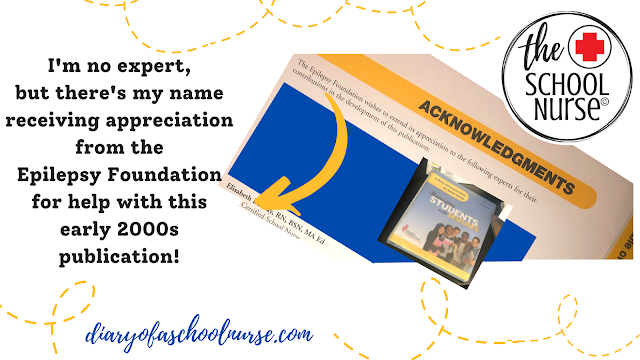
Helpful School Nurse Tip In 2001 I was preparing my thesis project for my masters degree. It was then I learned that many teachers were nervous when a student in their class had a known seizure disorder. I created these teacher tips to help teach the teachers what they needed to know about a variety of health conditions in the school setting; even seizure disorders.   


What are Teacher Tips & Why School Nurses should use them?

As nurses, we often take our knowledge for granted. There might even be times when we assume others understand or have a similar knowledge base regarding certain health conditions. However, many times they do not. Since school nurses are often viewed as the medical expert within the school setting one of our roles to educate others. The goal is educate enough so they understand what they need to know about certain medical conditions.


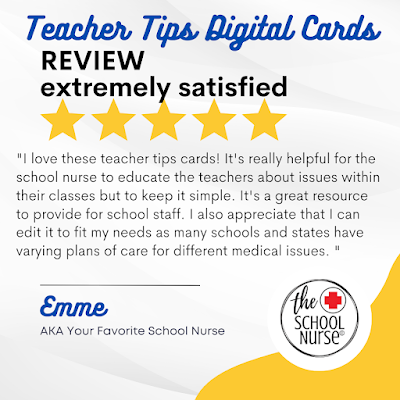
Teacher Tips cards provide an opportunity to educate others within the school on a specific health condition. These digital and partially editable "cards" give broad information on a health condition and allow you to provide more specific details as needed. 

How can you use Teacher Tips?

Many years ago (when email was optional!), I used to print Teacher Tips om paper, write student specific information, and hand deliver to teachers or put them inside their teacher mailbox. Now, I include these digital Teacher Tips digital health information cards within the body of an email message to teachers and/or add them as an IHP attachment in Skyward for a specific student.


EMAIL:  Since the Teacher Tips cards offer broad information, I have the option of including more student specific details within the body of the email; information staff would need to know. I can also include a copy of the 504 Plan or ask teachers to reference the 504 Plan for even more specific information. 


SKYWARD: Use Skyward to your advantage! If you have access to the Skyward Health module then consider uploading the Teacher Tips cards within the Health tab of Skyward Student Management.  Do you know how?

  • Once you have your student screen open select IHP
  • Then “Add File”
  • Enter a form description
  • Then Choose the Teacher Tips file you want to attach (download as a PDF from Google prior to attaching in Skyward)
  • Don’t stop there- Use the Comment box to add student specific information or more detailed information you want to the teacher to be aware of.
This is an excellent communication tool and resource between you and the teachers.  Especially at the 6-8 or 9-12 grade levels when student schedules change mid year or without notice. Do you utilize the Health Condition tab in Skyward? Another great tool and would make for another informational Diary Of A School Nurse blog post!

... Moving on to Teacher Tips for Seizures ...
                     

Teacher Tips for Seizures

Here are some tips when you are looking at items listed for sale on Teachers Pay Teachers; whether it is The School Nurse store or any other store:
  • Read product descriptions carefully so you know what you are purchasing
  • Look at all of the pictures provided of the product- even the product preview pictures
  • Read the reviews and the responses to the reviews
  • Check out the custom categories list the store
  • Start with a FREE TpT product- The School Nurse store offers 17 FREE digital products
The goal is to provide school staff the education and training they need to feel confident they can help a student during a health emergency situation until the school nurse or another trained staff member arrives and can take over care. Many times a seizure is over by the time the nurse arrives and we want school staff to feel comfortable and confident in providing initial care to students.

Teacher Tips related to Seizures in the School Setting

Vagus Nerve Stimulator VNS
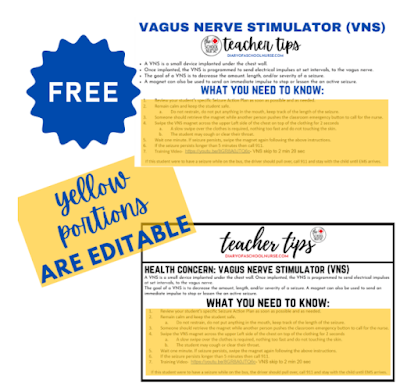
Let's start with the FREE product- the VNS Teacher Tips. It provides a good overview of the other 3 seizure related products & it has a 5 star rating

This is a Google slides product and you will need to allow TpT access to your Google drive. Once available, you'll be able to view the actual product and edit as needed. The wording below each of the yellow areas is fully editable.  

The digital health conditions card provides an easy to understand overview of what a VNS is and includes a "What You Need To Know" section with 7 editable items.  There are links to a sample Seizure Action Plan and a Vagus Nerve Stimulator training video too.  

The product includes the original black / white card and also the newly updated blue font card :)
Grand Mal Seizures
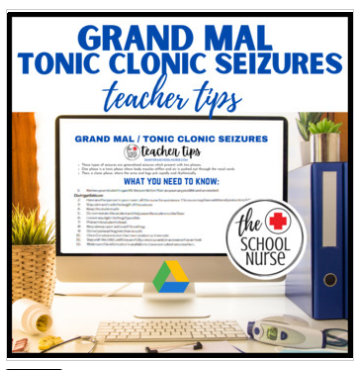
If you're downloading the free VNS Teacher Tips card because one of your students is living with one, then you might also be interested in this Grand Mal Teacher Tips card.

This Teacher Tips digital health card provides a general overview of Grand Mal seizures. There are also 12 editable "What You Need To Know" Teacher Tips. Just as with the VNS card, you can edit these Teacher Tips to include more or less information as needed. 


Petite Mal Seizures / Absence Seizures
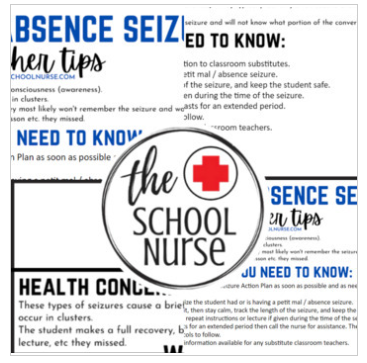
This Teacher Tips digital health card provides a general overview of  Petit Mal / Absence seizures. There are 6 editable "What You Need To Know" Teacher Tips. This area of the card is editable too, so you can include more or less information as needed. 

Complex Partial Seizures

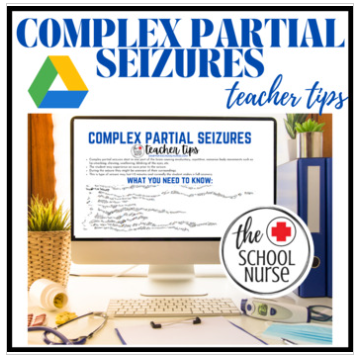
This Teacher Tips digital health card provides a general overview of  Complex Partial Seizures. There are 10 editable "What You Need To Know" Teacher Tips. The  "What You Need To Know" area of the card is editable too, so you can include more or less information as needed.


OTHER RESOURCES


Check out these other popular DOASN blog posts & product links.


Sunday, September 5, 2021

How The School Nurse Tracks All Things COVID


All Things COVID For The School Nurse

+ this post contains affiliate links+

Helpful School Nurse Tip: COVID responsibilities have added another job to our already full time job, right? Use these Google items to help you stay as organized as possible.


COVID-19 Tracking Sheet

Welcome to the very first COVID-19 digital product The School Nurse created back in the fall of 2020. I needed something easy and editable to use that I could track student attendance, staff attendance, create a weekly report, etc. I also wanted something that could easily be shared with the other nurse at my school and those who "needed to know" in case I wasn't able to be at work for whatever reason.  


This Teachers Pay Teachers product is what I created and continue to use this school year. hey are 100% editable, so you can customize them specific to your school/s and your needs. Currently, the top row of each sheet is "frozen", so it will be visible whether you have 10 entries or 510 entries!  These COVID Google sheets keep me organized and provide an easy way to access all the COVID information I need on a daily basis.  I think they would help you too! You can create your own, or purchase these and edit them to meet your needs.


Tabs Include:

  1. Student Attendance Sheet
  2. Staff Attendance Sheet
  3. Weekly Report
  4. No Mask / Alternative Diagnosis Sheet
  5. LHD Notification Sheet

To help you get started, I created this informational video. Keep in mind I'm not a videographer. You will hear beautiful windchimes in the background but also some hopefully, helpful information about using this product and making your school nurse days a little easier!  Also, in this video you will hear me refer to using "email notifications"!... Keep reading below to learn more about that useful tool!


The sample wording in this product is based on Illinois guidelines from October 2020. Great news though- this product is 100% editable! So, you can update the wording based on the current guidelines your school is using today!  

The main purpose of the FREE product is to teach other school nurses how to use Google EMail Templates!  I've implemented the use of email templates for any email situation I can- they are a huge time saver and provide consistency when communicating with others on the same topic. I hope using them helps you too and remember my disclaimer about not being a professional video maker- enjoy the content ...


Includes Sample Notification Wording For:
1. Close Contact- free
2. Positive Test Results
3. Waiting on Test Results
4. Household Member with Symptom
5. Student with Any Symptom

Using EMail templates is a must have if you are a school nurse trying to save time but yet provide a consistent message with those you are in contact with related to the COVID issues above. 

These 5 sample wording options are
100% editable- the wording is a suggestion I used when I originally created them in October of 2020. Since then, I've updated my own based on the guidelines my school is following. You can edit and update these samples to be specific to your school's COVID-19 guidelines. 
 
This wording bundle comes with a How-To video (shown above), but you can also view the training video on YouTube here:  https://youtu.be/srXXOOi4RZs?si=ZApD0dUJybRMnCqn


Great for coaches and/or other athletic department staff to use as a symptom checker for athletes!


This product is an editable Google Slide. It is easy to use via print or shared access of Google drive.


Best of all- this COVID-19 Athlete Monitoring product is FREE.


COVID - Athlete Return To Play Progression Form  Many state sport associations are requiring athletes have a medical release post COVID-19 diagnosis and recovery and prior to their return to participation in sports. 

Is this a requirement in your state?  If so, use this Google Doc as the form student athletes use to provide their medical release and/or Stage of Return to Play Progression prior to their return to sports. 

The Google doc is 100% editable which allows you and your athletic department or athletic trainer to customize it to your specific needs and requirements. 

Help you student athletes return to their sports as soon and as safely as possible.


SCHOOL NURSE STRONG
Organize your desktop today and thank yourself tomorrow with this "School Nurse Strong" 1920 x 1080 computer wallpaper.  You can even purchase coordinating School Nurse Strong items in this Zazzle storefront!


School Nurse Strong


Purchase The COVID-19 Bundle Purchase all of the above plus the bonus (Return To School Email Template Wording) for a discounted price!  COVID BUNDLE LINK


She Wanted To Change The World : School Nurse

Wednesday, August 18, 2021

Concussions in the School Setting


Concussions and The School Nurse

 + this post contains affiliate links +


Hopefully Helpful School Nurse Tip: Each year thousands of student athletes are diagnosed with a concussion. These blog posts were written to help the school nurse help those students.

What is a concussion?

It won't take long before a student enters your school nurse office and notifies you they have been diagnosed with a concussion. It is important that your student understands what this diagnosis means and as a school nurse you have the opportunity to educate your student.  A textbook definition from the Centers for Disease Control and Prevention is: 

"A concussion is a type of traumatic brain injury—or TBI—caused by a bump, blow, or jolt to the head or by a hit to the body that causes the head and brain to move rapidly back and forth. This sudden movement can cause the brain to bounce around or twist in the skull, creating chemical changes in the brain and sometimes stretching and damaging brain cells." (CDC, 2021)

However, that is a very technical and medical definition- will your student understand what that actual means?  It is OK to give an actual medical definition, but then follow it up with easy to use words and terms that your student will understand. This will depend on the grade level, age, and compression level of your student. 


What are common symptoms of a concussion?

Although school nurses are not allowed to diagnose a concussion, they should be able to recognize and refer for signs and symptoms of a potential concussion caused by a recent head injury. As a school nurse you'll want to know your school district's protocol when dealing with a student who has suffered a head injury at school or comes to school with a concussion diagnosis.  Do you know what signs and symptoms to look for?  For a review of signs and symptoms related to a concussion read this CDC article titled Concussion Signs and Symptoms

Are concussions serious?

Although concussions might not be life threatening, the side effects can be serious. Many students recovery within a few weeks, but others might need a few months or even longer to make a complete recovery!


What classroom accommodations can be made to support a student with a concussion?

There are many appropriate and suggested classroom accommodations that can be made when a student is diagnosed with a concussion. Sometimes the physician or athletic trainer might even provide you or the classroom teachers with accommodations when they provide the diagnosis. Other times the school nurse will only receive the written diagnosis. When this happens, what are you accepted to do?  Is the school nurse supposed to notify the student's classroom teacher/s or the student's school counselor?  Each school or school district should have a written concussion protocol to follow in this situation. 

A brief concussion protocol example might be something like this:
  1. School Nurse receives documentation that student has been diagnosed with a concussion
  2. School Nurse notifies classroom teachers and school counselor that the "concussion protocol" has been started
  3. School Nurse asks for or receives updates from students, parents, classroom teachers, and/or school counselor as needed
  4. School Nurse might need to inform athletic trainer or physician of received updates
  5. School Nurse receives documentation the Return To Learn is complete
  6. School Nurse notifies classroom teachers and school counselor that the "return to learn" has been completed
  7. School Nurse asks for or receives updates from students, parents, classroom teachers, and/or school counselor as needed
  8. School Nurse might need to inform athletic trainer or physician of received updates
  9. School Nurse receives documentation the Return To Play is complete
  10. School Nurse notifies classroom teachers and school counselor that the "return to play" has been completed
  11. School Nurse asks for or receives updates from students, parents, classroom teachers, and/or school counselor as needed
  12. School Nurse might need to inform athletic trainer or physician of received updates
The above are only brief suggestions ... as a school nurse you'll want to check on your school district's specific policies and procedures regarding concussion.  If your district doesn't have one, then you might want to work on creating one to use at your school when needed.

+This post contains affiliate links which means The School Nurse 
earns a small % when a qualifying purchase is made.+

NEED HELP CREATING A CONCUSSION PROTOCOL / POLICY / PROCEDURE? 

These Google Slides are Available For Purchase and 100% Editable

THREE CONCUSSION PROTOCOL / CLASSROOM SUGGESTION SLIDES

Instant Google drive access. 100% editable.

  • 3 fully editable slides for the following concussion situations:
    • Concussion Protocol Starting
    • Return To Learn
    • Return To Play
  • Edit to make each slide specific to your school / students
  • Save as PNG or JPG in order to insert into the body of an email


School Nurse Concussion Resources:


Thursday, July 29, 2021

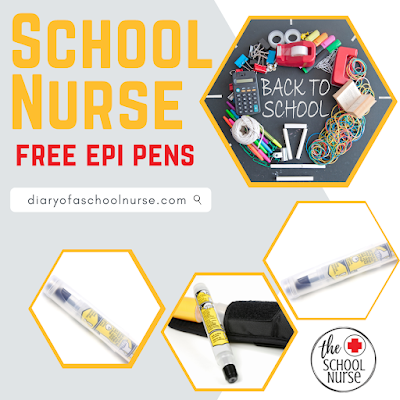
FREE EPI PENS FOR SCHOOLS!

Back To School : FREE Epi Pens

+ this post contains affiliate links +

Helpful School Nurse Tip:  Allergy reactions can occur at any time to any thing. Allergy reactions can escalate with each exposure. Are you prepared to respond? Does your school have undesignated epinephrine available to use in an emergency allergy situation?

APPLY FOR FREE EPI PENS

If you've been reading this blog for a while then you already know that Mylan Pharmaceuticals  & BioRidge Pharma offer 2 two packs of  FREE epi pens, replenishment epi-pens, and epi-pen trainers to qualifying schools each calendar year! I've been taking advantage of this program for many, many years and saving my school districts many, many dollars too! 

To say this is a wonderful and valuable service is an understatement. 

This is a potentially LIFE SAVING offer they continue to provide for FREE!

As with most undesignated prescription medication offers, there is required paperwork, but it is very self explanatory and easy to complete.  FYI- you will need to have your school district physician or a local physician willing to sign an order or provide a standing order.  

Having epinephrine at each school could literally save the life of a student, staff member, or visitor.  You can read all about their program & apply for your free doses HERE.  

I'm curious if there are any school nurses reading this post who have needed to use one of the free epi-pens at some point throughout a school year?  If so, please comment so the rest of us can learn from your experience. 

I'm also curious if there are any school nurses reading this post who live in a state with undesignated emergency medication laws who also have a state health department who provides the physician orders for those medications?  If so, please comment your state.   

ALLERGY EDUCATATION & PLAN

You will also want to spend some time thinking about how you will educate your staff members and maybe even the other students in your school.  The following is a list of questions that you should have answers to... these questions might even help you think of more questions that you'll need answers to.
  1. Who needs to know how and when to use an epi-pen.
  2. How will those people be taught signs/symptoms and medication administration techniques?
  3. Does your school district require a medication form or action plan?
  4. Who needs to know which students have potentially life threatening allergies?
  5. How are students with severe allergies identified? 
  6. Do students have permission to carry their own emergency medications?
  7. How will you gather more information from the parents? View this easy to use & editable digital Health History form HERE.
  8. ... and many more questions depending on your school/s and school district


SCHOOL STAFF HEALTH CONCERN NOTIFICATIONS

I mainly rely on email and Skyward to make sure those who "need to know", know. I always invite staff to stop by my office, call, or email with specific questions they might have too.  Teacher Tips digital cards are how I notify teachers and this is my how to guide- if it works for you that is great, if not then just take the pieces that work and switch up the rest.


WHY NOTIFY SCHOOL STAFF

As nurses, we often take our knowledge for granted and might even assume that others we work with understand or have a similar knowledge base regarding certain health conditions.


However, as school nurses, we are often viewed as the medical expert within the school setting. One of the roles of a school nurse is to educate others we work with so they understand what they need to know about certain medical conditions. Does that make sense?


Teacher Tips cards provide an opportunity to educate others within the school on a specific health condition. These teacher tips give broad information on a health condition and invite school staff to ask you for specific details as needed.


HOW TO NOTIFY TEAHCERS & STAFF

Way back when, I used to print information sheets and hand deliver them to teachers or put them inside their teacher mailbox; I’m dating myself, right?!  Now, I include these digital Teacher Tips digital health information cards within the body of an email message to teachers and/or add them as an IHP attachment in Skyward for a specific student.


EMAIL:  Since the Teacher Tips cards offer broad information, I have the option of including more student specific details within the body of the email; information staff would need to know. I can also include a copy of the 504 Plan or ask teachers to reference the 504 Plan for even more specific information. 


SKYWARD: Use Skyward to your advantage! If you have access to the Skyward Health module then consider uploading the teacher tips cards within the Health tab of Skyward Student Management.  How you wonder? Follow these steps:

  1. Open the student screen within the Health tab of the Skyward Student Management System
  2. Select IHP
  3. Then “Add File”
  4. Enter a form description and then Choose the Teacher Tips file you want to attach (download as a PDF from Google prior to attaching in Skyward)
  5. Use the Comment box to add student specific information or more detailed information you want to the teacher to be aware of.
This is an excellent communication tool and resource between you and the teachers; especially at the 6-8 or 9-12 grade levels when student schedules change mid year or without notice. Make sure you utilize the Health Condition tab in Skyward too (great information for another blog post!)

The Teachers Pay Teachers items discussed in this blog post are items I actual use- or very close variations of those items! These items are created and designed to offer consistency when working with multiple students and sometimes at multiple schools.


Please comment if there is a specific health concern or school nursing task that you want to see digital items created for! As always, thank you for your support!

SCHOOL NURSE RESOURCES


Check out The School Nurse storefront idea lists HERE.

HEALTH CONCERN LABELSSEVERE ALLERGYASTHMA

       HEALTH CONCERN LABELS                     SEVERE ALLERGY                         ASTHMA by The School Nurse